
WhatsApp Voice AI: Handle Calls, Voicemails & Customer Service with an AI Agent
WhatsApp Voice AI combines a 24/7 AI phone agent with WhatsApp follow-up, call summaries, appointment booking, and human handoff. See how the workflow works.
WhatsApp Voice AI lets an AI agent answer calls 24/7, understand the caller’s intent, complete routine tasks, and continue the conversation on WhatsApp when text, files, or a human are the better next step.
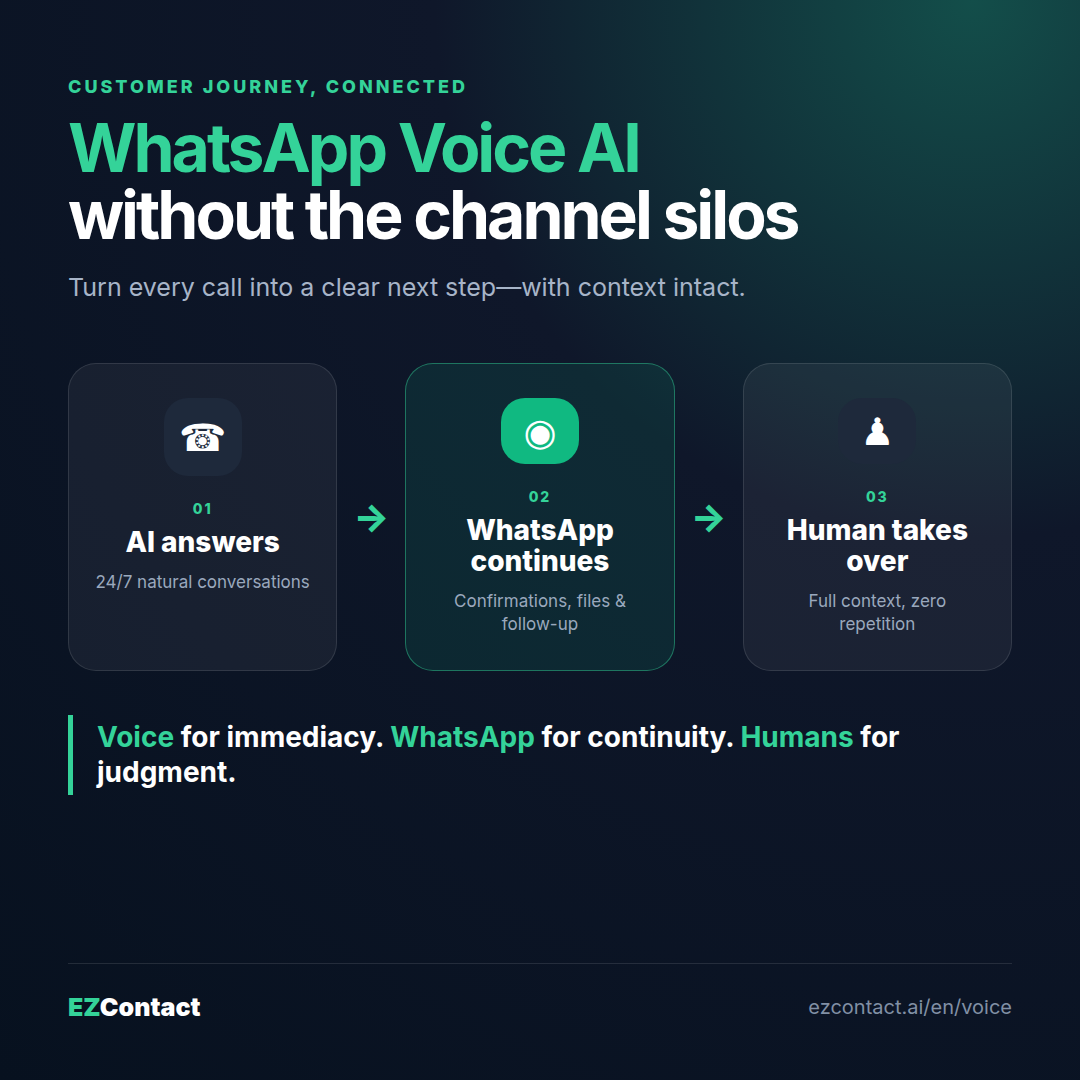
The important part is not adding another voice bot. It is connecting calls, WhatsApp messages, and human agents into one customer journey. A caller can book an appointment by voice, receive the confirmation on WhatsApp, send a document, and reach a person without starting over.
What is WhatsApp Voice AI?
WhatsApp Voice AI is a customer service setup where a conversational AI agent handles phone calls and connects the result to WhatsApp. The agent listens, identifies intent, responds naturally, and can perform actions such as scheduling an appointment or qualifying a lead.
After the call, the system can send a WhatsApp confirmation, instructions, a location map, a catalog, or a follow-up question. If the request needs empathy, judgment, or authority, it routes the conversation to a human with the context already captured.
This is different from a traditional IVR:
| Traditional phone workflow | WhatsApp Voice AI workflow |
|---|---|
| “Press 1 for sales” menus | Natural conversation |
| Voicemail outside business hours | AI agent answers 24/7 |
| Caller repeats information | Intent and summary are preserved |
| Calls and messages live separately | Voice and WhatsApp work as one journey |
| Manual follow-up | Immediate WhatsApp confirmation or next step |
How the voice-to-WhatsApp workflow works
1. The AI agent answers the call
The customer calls your business number. Instead of waiting in a queue or reaching voicemail, an AI voice agent answers using your business hours, services, policies, and preferred tone.
Because the agent is configured around your operation, it can ask useful questions rather than reading a generic script. A clinic can ask which service the patient needs. A real estate office can ask the preferred neighborhood and budget. A restaurant can confirm date, time, and party size.
2. It identifies intent and completes the routine task
The agent determines whether the caller wants to:
- Book, reschedule, or cancel an appointment
- Ask about pricing, availability, or business hours
- Qualify for a product, service, property, or vacancy
- Check an order or request support
- Speak with a person
For supported workflows, it completes the next action during the call. For example, it can check real-time availability, reserve a time slot, collect contact information, and create a concise call summary.
3. WhatsApp carries the next step
Voice is excellent for fast, natural conversation. WhatsApp is better for information the customer needs to keep, review, or share.
That is why the strongest workflow moves naturally between both channels:
- Appointment booked by voice → confirmation and location sent on WhatsApp
- Product inquiry by phone → catalog or pricing PDF sent on WhatsApp
- Missed or abandoned call → immediate WhatsApp follow-up
- Technical question → customer sends a photo or document on WhatsApp
- Qualified lead → sales representative receives the context and continues in the same channel
The customer does not have to write down an address or remember a confirmation number. The information arrives in a searchable conversation.
4. A human takes over when judgment matters
AI should not trap customers inside automation. If someone asks for a person, reports a sensitive issue, becomes frustrated, or needs an exception, the workflow should escalate.
With EZContact, the goal is a transparent AI + human handoff. The team receives the caller’s intent and conversation summary, then continues with the customer without asking them to repeat the story. AI handles volume; humans handle nuance, decisions, and relationships.
What happens to voicemail?
Traditional voicemail postpones the work. Someone must listen, take notes, decide who owns the request, and call back—often after the customer has contacted a competitor.
A voice AI agent can replace that dead end with an active workflow:
- Answer the call after hours or when the team is busy.
- Capture the customer’s name, need, and preferred next step.
- Resolve routine questions immediately.
- Send a WhatsApp message so the customer has written confirmation.
- Create a summary for the team when human follow-up is required.
This does not mean every conversation should stay with AI. It means every call can leave the business with structured context and a clear owner instead of an unprocessed audio file.
Best use cases for WhatsApp Voice AI
Clinics and appointment-based businesses
An AI agent can answer common questions, check availability, book a visit, and send preparation instructions by WhatsApp. A human should handle clinical advice, emergencies, billing disputes, and special accommodations.
Real estate and high-value leads
Voice is useful when prospects want to explain what they need quickly. The agent qualifies location, property type, budget, and timing, then sends matching information or schedules a viewing. High-intent prospects can be assigned to an agent immediately.
Restaurants and hospitality
The agent can handle opening hours, reservations, basic availability, and common guest questions while the front-line team focuses on customers on-site. Details and confirmations are delivered on WhatsApp.
Professional services
Law firms, accounting offices, and service companies can use voice AI for initial intake and consultation scheduling. The workflow collects the basics without making legal, financial, or other high-stakes decisions that belong to a qualified professional.
Customer support and missed-call recovery
When all representatives are occupied, the AI agent captures the problem, resolves simple requests, or sends a WhatsApp continuation. The team receives a structured summary instead of returning a call with no context.
Voice AI or WhatsApp text: which should you use?
You usually do not need to choose only one.
Use voice when the customer wants speed, prefers speaking, or needs to explain a situation naturally. Use WhatsApp text for confirmations, documents, images, links, asynchronous follow-up, and conversation history. Use a human for exceptions, negotiation, sensitive issues, or decisions that require accountability.
The practical model is:
Voice for immediacy. WhatsApp for continuity. Humans for judgment.
How EZContact connects voice, WhatsApp, and your team
EZContact Voice is designed to prevent calls from becoming a separate automation silo.
- 24/7 AI voice agent: answers calls and converses naturally using your business context
- Appointment scheduling: checks availability and books routine appointments
- WhatsApp follow-up: sends confirmations, instructions, files, or the next step in writing
- Conversation history and summaries: gives the team usable context after each call
- Human handoff: escalates requests that need empathy, authority, or expertise
- Unified operation: connects voice with the same WhatsApp-first customer service strategy
- Simple configuration: define the agent’s role, rules, knowledge, and escalation criteria without building a maze of nodes
The result is not “AI instead of people.” It is a front line that is always available, with people entering at the moments where they add the most value.
A practical launch checklist
Before activating a voice AI workflow, define:
- The top 10 reasons customers call. Start with high-volume, repeatable requests.
- What the agent may do. Specify whether it can provide prices, book appointments, qualify leads, or check status.
- What must escalate. Include complaints, sensitive topics, urgent cases, and explicit requests for a person.
- Which details go to WhatsApp. Confirmations, maps, catalogs, instructions, and documents should be sent in writing.
- Who owns each handoff. Route sales, support, billing, and special cases to the right team member.
- What to measure. Track answered calls, completed tasks, handoff rate, booked appointments, and missed-call recovery.
Start with one clear use case, review real conversations, and refine the prompt and escalation rules. The fastest path to value is a focused workflow that works reliably—not an agent expected to handle every possible exception on day one.
Frequently asked questions
Can an AI agent answer WhatsApp calls?
The exact setup depends on the phone and WhatsApp calling infrastructure available to your business. In practice, many companies use an AI phone agent for incoming calls and connect the outcome to WhatsApp for confirmations, files, and follow-up. EZContact can help design the appropriate voice-to-WhatsApp workflow.
Can voice AI send a WhatsApp message after a call?
Yes. Once the workflow has the customer’s consent and an approved messaging path, it can send a confirmation, appointment details, a map, instructions, or a follow-up on WhatsApp. Business-initiated messages must follow applicable WhatsApp Business Platform rules.
What happens when the AI cannot answer?
The agent should escalate rather than improvise. EZContact can route the request to a human with the caller’s intent and summary so the team continues with context.
Does voice AI replace a receptionist or support team?
It replaces repetitive call handling and voicemail dead ends—not human judgment. Teams remain essential for sensitive cases, exceptions, negotiation, and relationship-building.
How do I get started with EZContact Voice?
Choose one repeatable call workflow, document the correct answers and escalation rules, and test it with real scenarios. See EZContact Voice or start with EZContact.
Turn every call into a clear next step
A missed call should not become a lost customer, and a completed call should not disappear into a separate system. Connect voice, WhatsApp, and human support so every conversation can continue in the right channel with its context intact.
See how EZContact Voice works →
Related: AI Voice Agents vs Text on WhatsApp · AI Voice Receptionist for Small Business · The AI + Human Handoff Playbook
Related articles
Aug 2026
EZContact vs Yalo: Best WhatsApp AI Platform for LATAM?
Compare EZContact vs Yalo for WhatsApp AI, conversational commerce, human handoff, implementation, and the right business fit in LATAM.
Aug 2026
EZContact vs Salesforce Service Cloud: WhatsApp Service Without Enterprise Complexity
Comparing Salesforce Service Cloud and EZContact for WhatsApp customer service? See the honest 2026 breakdown of AI, handoff, setup, pricing, and fit.
Aug 2026
EZContact vs HubSpot: The Better Choice for WhatsApp Customer Service (2026)
Comparing EZContact and HubSpot for WhatsApp customer service? HubSpot is a powerful CRM — but WhatsApp is an afterthought in its architecture. Here's the honest breakdown of AI capabilities, native WhatsApp support, pricing, and handoff.
Put your WhatsApp to work with EZContact
An AI agent that knows your business, a unified inbox, and human handoff when needed. No complex flows — set it up with a single prompt.