
Can DeepSeek Connect to WhatsApp? Complete Integration Guide (2026)
Yes, DeepSeek can connect to WhatsApp — but it requires a platform bridge. This guide explains how it works, what your options are, and the fastest way to deploy a DeepSeek-powered AI agent on WhatsApp Business in 2026.
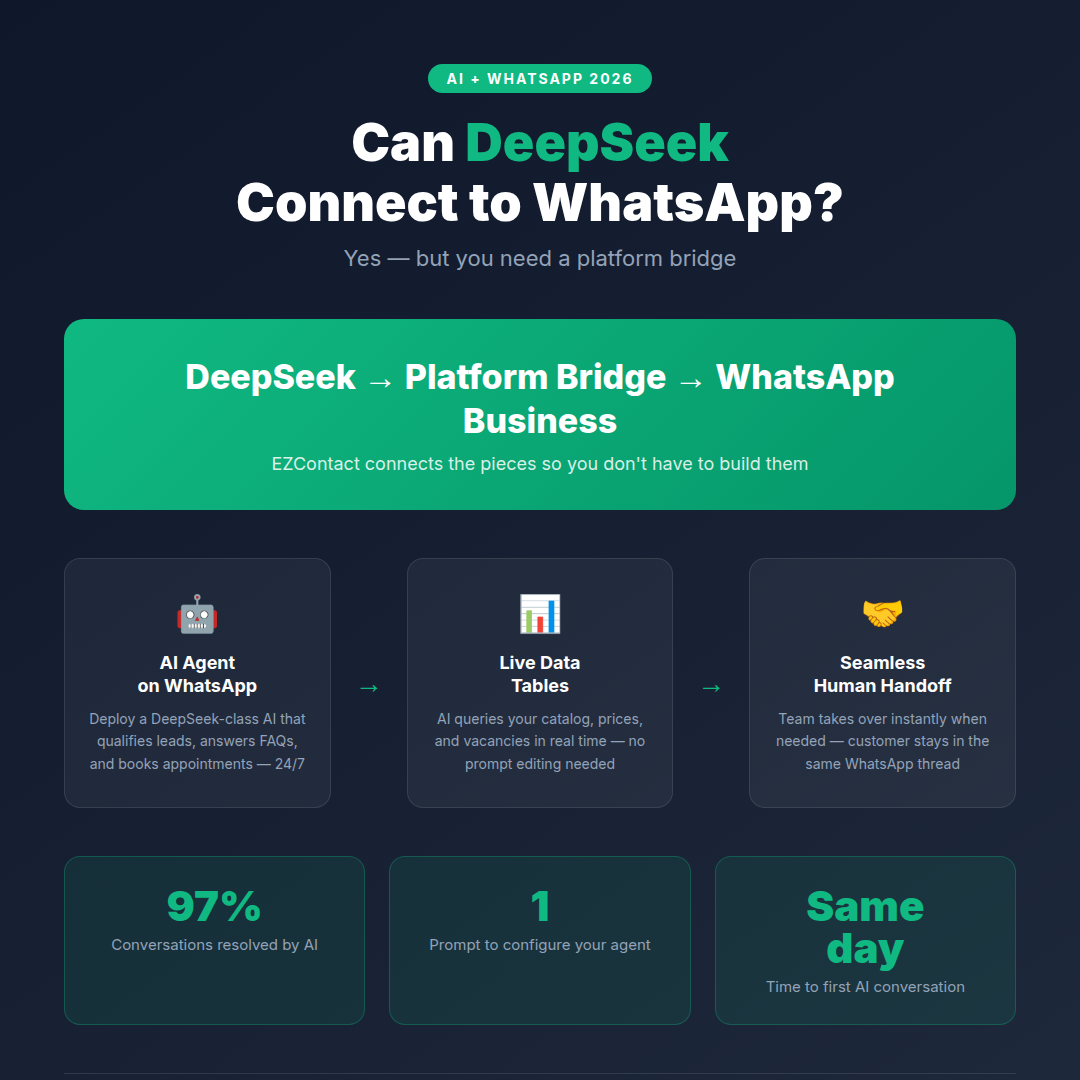
Yes — DeepSeek can connect to WhatsApp. But there’s no direct switch to flip. Connecting DeepSeek to WhatsApp Business requires a platform bridge that sits between DeepSeek’s models and the WhatsApp Business API. In 2026, the fastest way to deploy a DeepSeek-quality AI agent on your business WhatsApp number is through a platform like EZContact — which handles conversations 24/7, qualifies leads, books appointments, and escalates to your human team when needed.
Here’s the complete picture: what your options are, how the connection actually works, and what your business gains.
What “DeepSeek on WhatsApp” actually means
When businesses search “can DeepSeek connect to WhatsApp,” they’re typically asking one of two questions:
1. Can I chat with DeepSeek personally on WhatsApp? DeepSeek offers its own apps and web interfaces, but it has no native WhatsApp channel. Meta AI is the AI assistant built directly into WhatsApp for personal users — DeepSeek is a different model family with a different distribution.
2. Can I deploy a DeepSeek-powered AI agent on my business WhatsApp number? This is the question that matters for businesses — and the answer is yes, through a platform that connects to the WhatsApp Business API and runs DeepSeek-class models as the AI backend. Your customers get fast, accurate, personalized WhatsApp responses while your team focuses on the conversations that genuinely need a human.
This guide focuses entirely on option 2.
How DeepSeek connects to WhatsApp: the architecture
WhatsApp Business API (operated by Meta) does not allow direct plug-ins from AI tools like DeepSeek. You need an official WhatsApp Business Solution Provider (BSP) or an API-connected platform in the middle. Here’s how the pieces fit together:
Your customers on WhatsApp
        ↕ WhatsApp Business API (Meta)
    Platform / BSP (e.g., EZContact)
        ↕ AI layer (DeepSeek, Claude, OpenAI, or other LLMs)
        ↕ Your business data
   (Knowledge Base, catalog, vacancies, pricing)
The platform handles:
- Receiving and routing incoming WhatsApp messages
- Calling the AI with the right context and business data
- Sending AI-generated replies back through WhatsApp
- Managing the team inbox when a human needs to step in
EZContact is one such platform — a unified messaging platform powered by AI that connects your WhatsApp Business number to an intelligent agent, backed by your own data.
Your options in 2026
Option A: DIY — Build it yourself with the DeepSeek API
DeepSeek provides an API compatible with OpenAI’s format, which makes it technically straightforward to call from code. However, building a full WhatsApp integration requires significant infrastructure beyond just the model:
- Register as a Meta WhatsApp Business Solution Provider or work with an approved BSP
- Set up a server to receive WhatsApp webhooks
- Authenticate and call the DeepSeek API with conversation history and business context
- Manage session state, token limits, and error handling
- Build a team inbox for human escalations
- Maintain everything as both DeepSeek’s and Meta’s APIs evolve
This is viable for engineering teams with dedicated resources. For most businesses, it’s slow and expensive — especially when you factor in ongoing maintenance and compliance with Meta’s messaging policies.
Option B: Use a platform like EZContact (recommended)
EZContact is a unified WhatsApp Business platform with a built-in AI agent powered by large language models — including DeepSeek-class reasoning capabilities. Instead of building the integration yourself, you get a complete, production-ready setup:
- WhatsApp Business API connection via embedded Meta signup — no BSP setup required
- AI agent configured with a single prompt — no flow builders or decision trees
- Data Tables: a built-in structured data layer the AI queries in real time
- Contextual file sharing: the AI sends the right file (catalog, brochure, map) at the right moment
- Human handoff: your team can take over any conversation at any time, with full context
- Multi-channel inbox: WhatsApp + Facebook Messenger + Instagram in one panel
Setup time: most businesses have their first AI-handled conversation on the same day they sign up.
Step-by-step: deploying an AI agent on WhatsApp via EZContact
Step 1 — Create your EZContact account
Go to ezcontact.ai and start your free trial. You get full access from day one, no credit card required.
Step 2 — Connect your WhatsApp Business number
EZContact has Meta’s Embedded Signup built into onboarding. You connect your WhatsApp number directly from the platform — no need to navigate Meta Business Suite separately. If you don’t have a Meta Business Portfolio yet, you can create one during the same onboarding flow.
Step 3 — Configure your AI agent with a single prompt
In EZContact’s AI settings, write a prompt that describes how your agent should behave. There’s no visual flow builder, no branching logic, no decision trees to map out. Just write:
- What your business does
- What questions the agent should answer
- What it should do when it can’t help (escalate to a human)
- What tone, language, and persona to use
Example prompt for a technology distributor:
“You are the AI assistant for [Company Name], a technology distributor. When prospects message you, greet them and ask what they’re looking for (pricing, availability, product specs, or bulk orders). Collect their company name, volume requirements, and delivery location before offering to connect them with a sales rep. If they need a quote for more than 50 units, escalate immediately to the sales team.”
That’s it. One prompt, fully deployed.
Step 4 — Upload your data to Data Tables
EZContact’s Data Tables is a structured data layer — think of it as a mini spreadsheet that your AI agent can query in real time during conversations. Use it for:
- Product catalog (name, description, specs, price, stock)
- Service offerings and availability
- Branch locations and hours
- Job vacancies and candidate requirements
- Pricing tiers and discount rules
When a customer asks “do you have the Pro plan in stock for same-week delivery?”, the AI checks Data Tables and responds with current information — without you having to update the agent’s prompt every time something changes.
Step 5 — Add contextual files
Upload files with instructions for when to send them: brochures, PDFs, price lists, spec sheets, maps. The AI agent delivers the right file at the right moment in the conversation — without human intervention. A prospect asking for technical specs gets your latest spec PDF. A new customer asking about your office gets a map.
Step 6 — Connect your Knowledge Base
Upload your FAQs, product documentation, or any content-rich document. EZContact’s AI uses this as a reference to answer detailed questions your customers ask. If the answer isn’t in the Knowledge Base, the agent doesn’t guess — it escalates to a human with the full context intact.
Step 7 — Connect external AI via MCP (advanced)
For teams that want to connect their own DeepSeek inference endpoint or any other AI model directly, EZContact supports external MCP server connections. If you run your own DeepSeek instance or have a custom AI backend, you can connect it to EZContact so the platform routes conversations to your preferred model.
What the AI agent can do on WhatsApp
Once configured, the AI handles these tasks autonomously across your WhatsApp Business number:
| Task | How it works |
|---|---|
| Qualify leads | Asks structured questions, captures intent and budget |
| Answer FAQs | Pulls from Knowledge Base in real time |
| Share catalog / pricing | Queries Data Tables for live data |
| Send files contextually | Delivers brochure, spec sheet, or map at the right moment |
| Book appointments | Guides customer through scheduling flow |
| Screen job candidates | Gathers info, matches against vacancy list |
| Escalate to human | Triggers handoff with full conversation context |
| Follow up | Sends automated follow-up after defined intervals |
Production data from EZContact deployments: 97% of conversations are fully resolved by the AI. Only 3% require human intervention.
The human handoff: where most integrations fail
Standalone AI integrations — including DIY DeepSeek setups — often break the moment a conversation gets complex. A frustrated customer, a high-value deal, a billing dispute, an edge case the model wasn’t trained on — all of these require smooth escalation to a human.
EZContact’s human handoff is built into the core platform:
- The AI detects when escalation is needed — unresolved issue, explicit customer request, trigger keyword, or frustrated tone
- Your team gets a notification with the full conversation context already in front of them
- A human takes over the WhatsApp thread — the customer sees no disruption, no “you’ve been transferred” message
- When the issue is resolved, the conversation can return to AI for automated follow-up
- Supervisors have a real-time view of all conversations — AI-handled and human-handled — in the same unified inbox
This is the fundamental difference between a standalone model integration and a business platform: AI handles the volume, humans handle the ones that matter.
DeepSeek DIY vs EZContact: honest comparison
| DIY DeepSeek API + WhatsApp API | EZContact | |
|---|---|---|
| WhatsApp API connection | You manage BSP/Meta approval | Built-in, compliant |
| AI model | DeepSeek API (you manage) | LLM-powered, including DeepSeek-class |
| External model connection | You build the integration | MCP server support (connect your own) |
| Knowledge Base | You build and host it | Included |
| Data Tables (live data) | You build it | Included |
| Contextual file sharing | You build it | Included |
| Human handoff inbox | You build it | Included |
| Multi-channel (IG, Messenger) | You build it | Included |
| Maintenance | Yours | EZContact’s |
| Time to first AI conversation | Days to weeks | Same day |
If you’re an engineering team that wants to run your own DeepSeek inference at scale and have the resources to build and maintain the WhatsApp infrastructure, the DIY path is viable. EZContact even supports connecting your external AI via MCP, so the two approaches aren’t mutually exclusive. For most businesses, EZContact gets you to the same outcome without the overhead.
Frequently asked questions
Is DeepSeek specifically the model running inside EZContact? EZContact’s AI agent is powered by large language models. The platform delivers intelligent, context-aware responses trained on your business data — including your Knowledge Base, Data Tables, and contextual files. For teams that want to connect a specific model like DeepSeek, EZContact supports external AI connections via MCP.
What makes DeepSeek different from other models for business use? DeepSeek’s models — particularly DeepSeek R1 — introduced strong reasoning capabilities at competitive cost. For WhatsApp business use cases (lead qualification, FAQ resolution, appointment booking), the differences between major LLMs are less pronounced than for coding or research tasks. The platform, data layer, and handoff architecture matter more than the specific model for most business deployments.
Can my customers tell they’re talking to AI? That’s your choice. EZContact lets you configure whether to disclose AI in the conversation — or give the agent a custom persona (a name, a role) that represents your brand without calling itself an AI.
What happens if the AI gets something wrong? Human handoff. If the AI gives an incorrect answer or a customer expresses dissatisfaction, your team takes over immediately with the full conversation context. No broken relationships — just a smooth transition.
Is this compliant with WhatsApp’s Terms of Service? Yes. EZContact is an official WhatsApp Business API partner. All messages comply with Meta’s messaging policies, including opt-in requirements and template rules for outbound messaging.
What languages does the AI handle? The AI agent handles any language the underlying model supports — in practice, Spanish, English, Portuguese, French, German, Chinese, and dozens more. You can configure the agent to detect and respond automatically in the customer’s language.
How quickly can I go live? Most businesses complete setup and have their first AI-handled conversation on the same day. Number connection takes a few minutes. Agent configuration is a single prompt.
Do I need technical knowledge to set this up? No. EZContact is designed for business teams, not developers. If you can write a job description, you can write an AI agent prompt. The MCP external connection option is available for teams that want it, but it’s not required.
More guides in this series
Exploring which AI works best on WhatsApp for your business? Check out the other guides in this cluster:
- Can Claude Connect to WhatsApp?
- Can ChatGPT Connect to WhatsApp?
- Can Google Gemini Connect to WhatsApp?
- Can Meta AI Connect to WhatsApp?
- Can Microsoft Copilot Connect to WhatsApp?
The bottom line
DeepSeek can connect to WhatsApp — and in 2026, the fastest route is through a platform that handles the WhatsApp API connection, the AI configuration, the data layer, and the team workflow all in one place.
EZContact gives you an AI agent that qualifies leads, answers questions in real time, sends the right files at the right moment, and hands off to your team seamlessly — all within the WhatsApp thread your customers are already using.
Ready to put AI on your WhatsApp?
Start your free trial at ezcontact.ai — or message us on WhatsApp to see a live demo for your specific use case.
Related articles
Aug 2026
EZContact vs Yalo: Best WhatsApp AI Platform for LATAM?
Compare EZContact vs Yalo for WhatsApp AI, conversational commerce, human handoff, implementation, and the right business fit in LATAM.
Aug 2026
EZContact vs Salesforce Service Cloud: WhatsApp Service Without Enterprise Complexity
Comparing Salesforce Service Cloud and EZContact for WhatsApp customer service? See the honest 2026 breakdown of AI, handoff, setup, pricing, and fit.
Aug 2026
WhatsApp Voice AI: Handle Calls, Voicemails & Customer Service with an AI Agent
WhatsApp Voice AI combines a 24/7 AI phone agent with WhatsApp follow-up, call summaries, appointment booking, and human handoff. See how the workflow works.
Put your WhatsApp to work with EZContact
An AI agent that knows your business, a unified inbox, and human handoff when needed. No complex flows — set it up with a single prompt.