
EZContact vs HubSpot: The Better Choice for WhatsApp Customer Service (2026)
Comparing EZContact and HubSpot for WhatsApp customer service? HubSpot is a powerful CRM — but WhatsApp is an afterthought in its architecture. Here's the honest breakdown of AI capabilities, native WhatsApp support, pricing, and handoff.
If WhatsApp is your primary customer service channel, HubSpot is not built for that reality — and this article explains exactly why.
HubSpot is one of the most complete CRM and marketing platforms ever built. If you need to track deals, run email sequences, manage a content calendar, and route sales conversations through a pipeline, HubSpot is excellent. But for businesses where WhatsApp is the daily customer communication channel — the reality for most companies in Latin America, Southern Europe, the Middle East, and Southeast Asia — HubSpot’s WhatsApp integration creates friction at every layer.
EZContact is built from the ground up for WhatsApp-first businesses: native API connection, conversational AI configured with one prompt, real-time human handoff, and live data the AI queries without touching code.
Here’s the honest comparison.
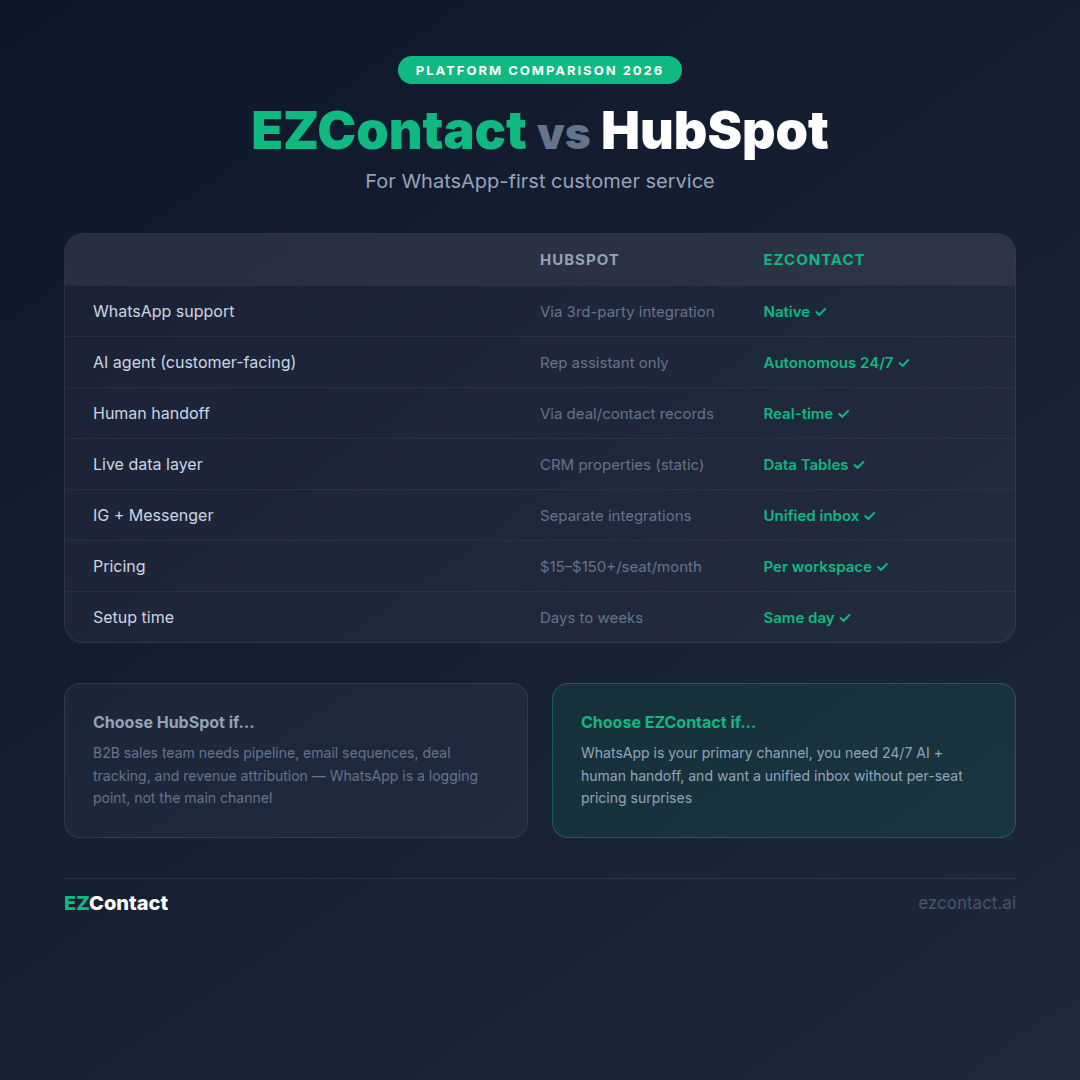
Quick comparison
| HubSpot | EZContact | |
|---|---|---|
| Built for | CRM, marketing, sales pipeline | WhatsApp-native AI messaging (SMB-first) |
| WhatsApp support | Integration via third-party inbox tools | Native, core product feature |
| Channels | Email, web chat, SMS, WhatsApp (via integration) | WhatsApp, Instagram, Facebook (unified) |
| AI agent | AI assistant for reps (sales-focused) | Conversational AI agent with native handoff |
| AI configuration | Prompt-based assistant for sales reps | Single text prompt — autonomous agent |
| Human handoff | Manual routing through deal/contact records | Native real-time handoff, unified inbox |
| Dynamic data | CRM properties + deal pipeline | Data Tables — AI queries live data |
| WhatsApp onboarding | Via third-party integration | Embedded Signup inside the platform |
| Pricing | Free tier + $15–$1,300+/month/seat (Starter→Enterprise) | Per workspace, predictable monthly |
| Best for | Sales teams managing deals, email outreach, pipelines | SMBs where WhatsApp is the main customer channel |
| Setup time | Days to weeks | Hours (one prompt, done) |
What HubSpot does well
HubSpot has built one of the most complete go-to-market platforms available. The free CRM tier is genuinely useful, and the paid tiers (Sales Hub, Marketing Hub, Service Hub) add serious depth.
CRM and contact management. HubSpot’s contact and deal records are industry-standard. Every interaction — email, call, meeting, form submission — is logged automatically. For sales teams managing hundreds of prospects through a pipeline, this is invaluable.
Email marketing and sequences. HubSpot’s email tools — sequences, workflows, A/B testing, template libraries — are among the best available. If email is your primary outbound channel, HubSpot handles it completely.
Reporting and attribution. HubSpot’s reporting suite covers everything from deal conversion rates to marketing attribution to team performance. For leadership teams that need revenue-linked reporting, the depth is real.
HubSpot AI (Breeze). HubSpot’s Breeze AI assistant helps sales reps draft emails, summarize call notes, and get deal insights. It’s a productivity tool for your team — not a customer-facing autonomous agent.
HubSpot wins when:
- You’re running a B2B sales team that needs pipeline management, deal tracking, and email sequences
- Marketing and sales alignment across email, ads, and content matters more than WhatsApp automation
- Your CRM needs to be the source of truth for customer history across your entire organization
- WhatsApp is one channel you want to log contacts from, not the primary service surface
- You need enterprise reporting, revenue attribution, and deep Salesforce-style pipeline visibility
Where HubSpot falls short for WhatsApp businesses
HubSpot was designed for CRM and outbound marketing. WhatsApp support was added through integrations — and that origin shapes daily experience in significant ways.
WhatsApp is not native in HubSpot. To connect WhatsApp, you need to use a third-party inbox integration (like EZContact, Trengo, or similar). HubSpot itself doesn’t provide the WhatsApp Business API connection. The WhatsApp conversations then appear in HubSpot as logged activities — useful for CRM history, but not designed for real-time messaging.
HubSpot AI isn’t a customer-facing WhatsApp agent. Breeze AI is built to help your sales reps — draft an email, summarize a call, suggest next steps. It’s not an autonomous AI agent that handles inbound WhatsApp conversations from customers 24/7. If a customer messages your WhatsApp at 11 PM asking about pricing, HubSpot doesn’t respond — someone on your team has to.
The pricing model is complex and expensive at scale. HubSpot’s free tier is limited. Paid plans start at $15/seat/month (Starter) but quickly climb: Sales Hub Professional is $100/seat/month, Enterprise is $150+/seat/month. Add Marketing Hub and Service Hub for full functionality and costs escalate significantly. For SMBs, the cost of a full HubSpot setup to manage WhatsApp conversations is rarely justified.
WhatsApp messages don’t live natively in HubSpot. Even with an integration, WhatsApp conversations happen in a third-party inbox, not inside HubSpot’s interface. Your team switches between tools. Message history syncs imperfectly. The “unified view” is partial.
No native Instagram or Facebook Messenger. Social DMs require additional integrations or manual logging in HubSpot. Teams serving customers across WhatsApp, Instagram, and Facebook inevitably end up with fragmented conversations across multiple tools.
How EZContact is built differently
EZContact starts from the opposite premise: for most businesses in Latin America and growth markets globally, WhatsApp is customer service. Not one channel in a multi-channel CRM. The primary place customers reach out, expect fast responses, and form their impression of your brand.
EZContact is purpose-built for that reality.
Native WhatsApp — no third-party integration required
As an official Meta Business Partner, EZContact handles the WhatsApp Business API connection directly. The onboarding uses Meta’s Embedded Signup built into the platform: connect your number, verify your Meta Business Portfolio, go live — without leaving EZContact, without a third-party integration tool, without a developer.
AI configured with one prompt — no workflows, no rules engine
In HubSpot, building an automated WhatsApp flow requires third-party integrations, workflow rules, and often developer involvement. In EZContact, you write one prompt describing your agent:
- What your business does
- What questions the agent should handle
- What to do when it can’t help (escalate to a human)
- What tone and language to use
The agent deploys immediately. 97% of conversations are handled autonomously. Your team handles the 3% that genuinely need them.
Data Tables: live business data the AI queries in real time
HubSpot’s AI accesses CRM data (contacts, deals, properties). EZContact’s AI queries Data Tables — a live structured data layer your team manages:
- Product catalog with current prices and availability
- Active job openings by role and location
- Service hours and appointment availability
- Branch addresses and location maps
- Any structured data that changes frequently
When a customer asks “Is the Pro plan still on sale?”, EZContact’s agent checks Data Tables and responds with the current answer. No article to update, no property to sync.
Human handoff: real-time, in the conversation
HubSpot’s handoff model works through deal and contact records — a rep gets notified, opens HubSpot, reviews the record, and contacts the customer (typically by switching to a separate WhatsApp interface).
EZContact’s handoff is native and transparent:
- The AI detects escalation: unresolved issue, explicit customer request, buying signal, frustrated tone
- Your team gets an instant notification with the full conversation context
- A human takes over the same WhatsApp thread — no disruption for the customer
- Supervisors see all conversations — AI and human — in the same unified panel
AI handles the volume. Humans close the important ones.
The CRM question: does EZContact replace HubSpot?
Not entirely — and it doesn’t try to.
EZContact includes a contact CRM (conversation history, tags, custom fields, segments) and team management features. For businesses where WhatsApp is the primary channel, EZContact’s CRM covers what you actually need for daily operations.
For businesses that need HubSpot’s deal pipeline, email marketing, revenue attribution, and deep integrations: the two tools can coexist. EZContact handles WhatsApp conversations; HubSpot gets the contact and deal data via EZContact’s API or Zapier integration.
But for SMBs choosing between the two as the primary customer communication tool: EZContact delivers more WhatsApp-specific value at a fraction of the cost.
Real scenario: LATAM services company
A professional services firm in Colombia receives 150 WhatsApp messages per day: new inquiries, existing client requests, appointment confirmations, and document follow-ups.
With HubSpot:
- WhatsApp requires a third-party integration — additional cost and configuration
- Messages appear in HubSpot as logged activities, not a live inbox
- No autonomous AI responses — every message waits for a human
- Team switches between the third-party WhatsApp tool and HubSpot for context
- HubSpot’s pricing for a 5-person team: $500+/month before WhatsApp add-ons
- Instagram and Facebook require additional integrations
With EZContact:
- WhatsApp connected natively in 10 minutes via Embedded Signup
- AI agent handles pricing questions, appointment scheduling, document requests — automatically
- Team sees live WhatsApp + Instagram + Facebook in one inbox
- Complex cases escalate with full context — no tool-switching
- Pricing: predictable monthly workspace fee, no per-seat surprise
- Setup: same day, one prompt
When to choose each
Choose HubSpot if:
- You’re a B2B company where email outreach, deal pipelines, and CRM are the core of your sales process
- Marketing attribution and cross-channel reporting matter at a leadership level
- You have a sales team of 10+ people who need contact, deal, and sequence management
- WhatsApp is a channel you want to log — not a real-time service surface that needs 24/7 automation
- You have the budget and technical resources for a full HubSpot implementation
Choose EZContact if:
- WhatsApp is your primary channel for customer service, sales, and support
- You also handle Instagram DMs and Facebook Messenger and want them in one inbox
- You want an AI agent that handles inbound conversations autonomously — not just a tool that helps your reps
- Your team is 2–20 people and needs to get operational in hours, not weeks
- Your business data changes frequently and you need the AI to access it in real time
- Predictable pricing without per-seat or per-conversation surprises matters
Frequently asked questions
Can EZContact integrate with HubSpot? Yes. EZContact can sync contacts and conversation summaries to HubSpot via its API and Zapier integration. This lets you keep HubSpot as your CRM while using EZContact for real-time WhatsApp operations. Contact the EZContact team for integration details.
Does HubSpot have a WhatsApp AI agent? HubSpot’s Breeze AI is an assistant for your sales reps — it helps them work faster, not replace them for customer-facing conversations. HubSpot doesn’t offer a 24/7 autonomous WhatsApp agent. For that, you need EZContact or a similar tool integrated with HubSpot.
Is EZContact a CRM? EZContact includes contact management: full conversation history, custom fields, tags, and segments. It’s not a deal pipeline or email marketing platform. For businesses where WhatsApp is the primary customer channel, EZContact’s CRM covers daily needs. For full pipeline + email + attribution, a CRM like HubSpot handles the sales layer.
Can I use both HubSpot and EZContact? Yes. Many businesses use EZContact for real-time WhatsApp operations and sync key data to HubSpot for reporting and pipeline management. The tools are complementary for companies that need both CRM depth and WhatsApp-native AI.
How long does EZContact setup take compared to HubSpot? EZContact: connect your WhatsApp number (10 minutes via Embedded Signup), write your agent prompt (30 minutes), go live — same day. HubSpot: a full implementation with WhatsApp integration, workflow configuration, and team onboarding typically takes days to weeks. Both require ongoing refinement, but EZContact’s time-to-value is significantly faster.
More comparisons in this series
- EZContact vs Zendesk
- EZContact vs Intercom
- EZContact vs Freshdesk
- EZContact vs WATI
- EZContact vs Respond.io
- Best WhatsApp Business Platforms 2026
The bottom line
HubSpot is the right choice for B2B sales teams where CRM, email, and pipeline management are the core workflow — and WhatsApp is a secondary logging point, not a real-time service channel.
For businesses where WhatsApp is how customers actually reach you, EZContact offers what HubSpot can’t: a native conversational AI agent, real-time human handoff without tool-switching, live data the AI queries without reprogramming, and a unified inbox covering WhatsApp + Instagram + Facebook — all without the CRM complexity or per-seat pricing.
Ready to see the difference?
Start your free trial at ezcontact.ai — or message us on WhatsApp for a live demo tailored to your use case.
Related articles
Aug 2026
EZContact vs Yalo: Best WhatsApp AI Platform for LATAM?
Compare EZContact vs Yalo for WhatsApp AI, conversational commerce, human handoff, implementation, and the right business fit in LATAM.
Aug 2026
EZContact vs Salesforce Service Cloud: WhatsApp Service Without Enterprise Complexity
Comparing Salesforce Service Cloud and EZContact for WhatsApp customer service? See the honest 2026 breakdown of AI, handoff, setup, pricing, and fit.
Aug 2026
WhatsApp Voice AI: Handle Calls, Voicemails & Customer Service with an AI Agent
WhatsApp Voice AI combines a 24/7 AI phone agent with WhatsApp follow-up, call summaries, appointment booking, and human handoff. See how the workflow works.
Put your WhatsApp to work with EZContact
An AI agent that knows your business, a unified inbox, and human handoff when needed. No complex flows — set it up with a single prompt.